


 ?
?
Send a link to the booking from Booking.com
Pay with reward points
We'll take care of everything else
 How do I copy a link?
To make a reservation, you must check the availability of your hotel. Follow the steps below:
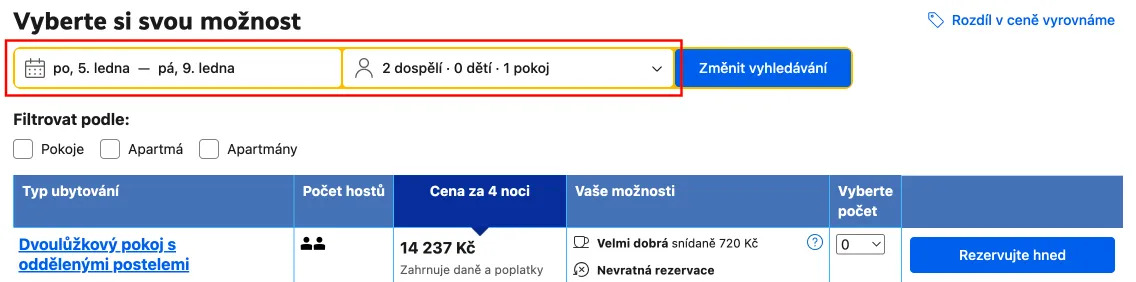
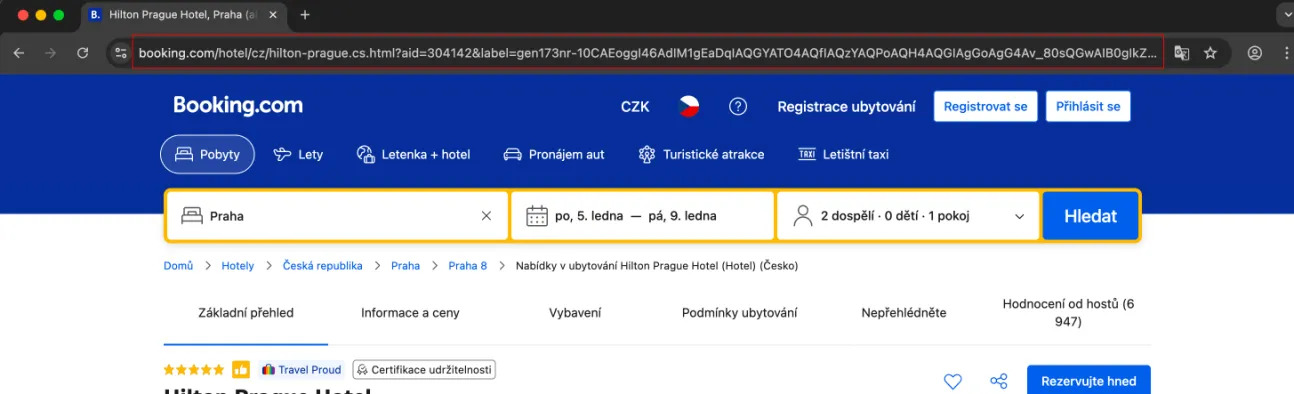







Choose a stay on Booking.com, send us the link, and pay for the benefits. We’ll complete the reservation for you.
Choose a stay on Booking.com and paste the link into the field.
Choose from our selection of rooms and leave us your contact information.
Once we've verified your information, we'll send you a link to make the payment.
We will finalize your reservation and send you all the necessary information.
Conditions for reimbursing accommodation from Booking.com

We will only reimburse you for accommodations that you submit to us at least 1 day before your arrival at the accommodation facility. Planning a last-minute trip? Contact us and we’ll do our best to make it happen.

Personal discounts and bonuses cannot be applied on Booking.com. We create and manage the reservation from our profile and send you all the information and confirmation.

We use the standard accommodation price listed on the booking portal at the time the reservation is made, as prices are subject to change. We also add our service fee based on the selected payment method.

Only accommodation that can be paid for by card when making the reservation can be reimbursed. Accommodation that can only be paid for on site or in cash cannot be accepted.